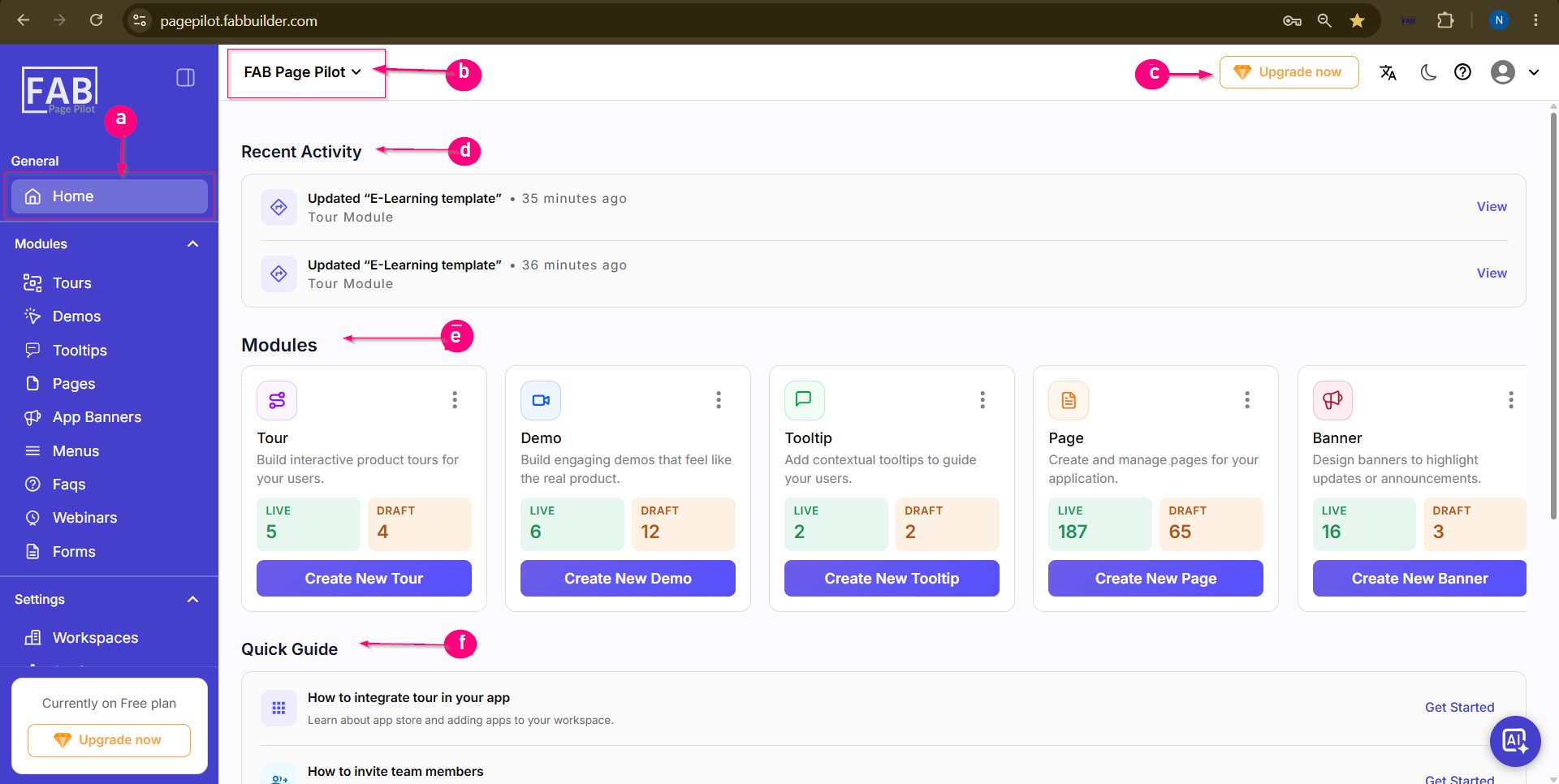
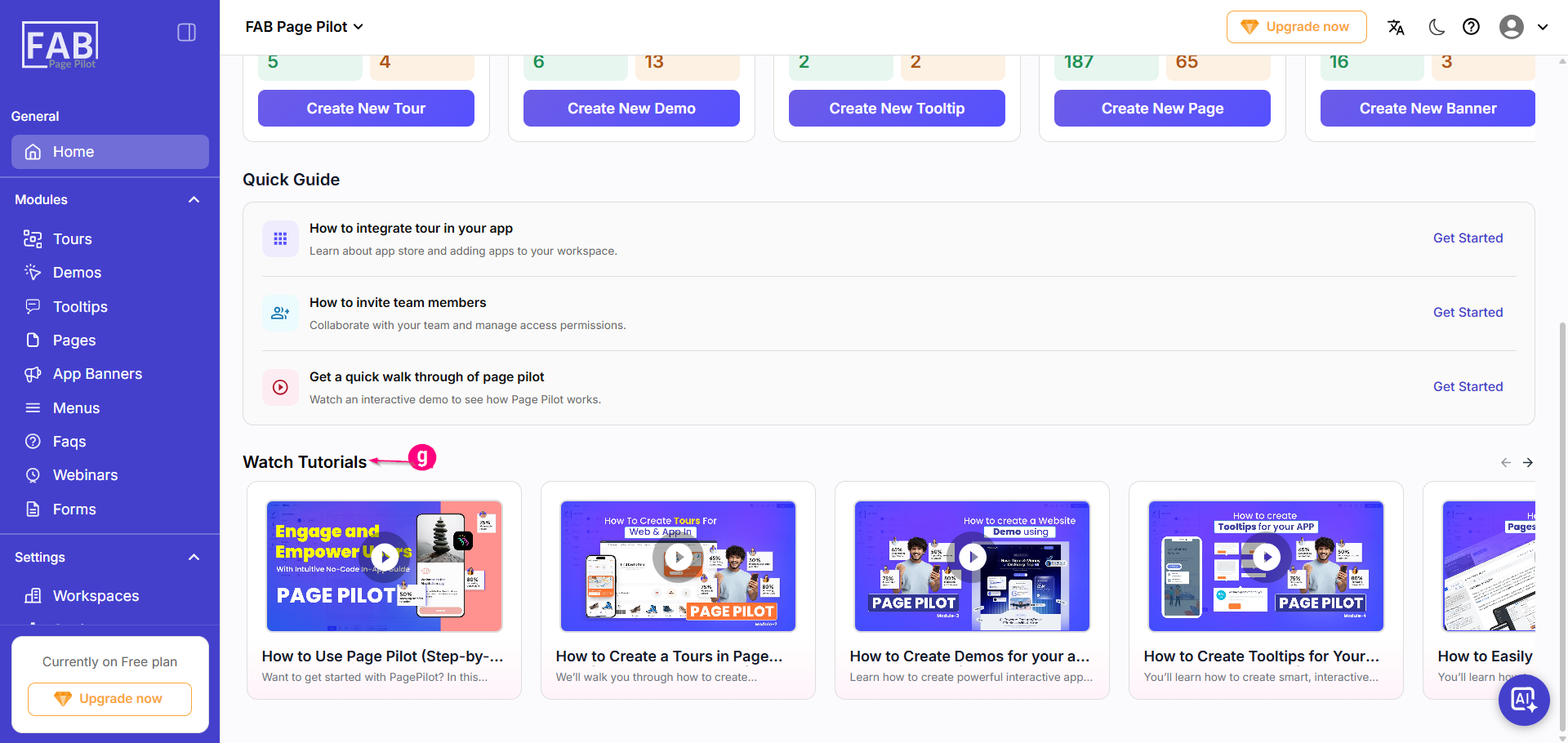
Screen Components
a. Home Navigation
Displays the Home option and provides access to all available modules from the left-side navigation panel.
b. Workspace Selector
Displays the currently selected workspace and allows users to switch between available workspaces.
c. Header Controls
Provides quick access to Upgrade Plan, Language, Theme, Help, and User Profile settings.
d. Recent Activity
Displays recently created or updated items across different modules. Click View to open the selected item.
e. Quick Access Modules
Provides quick access to available modules. Each module card displays the Live and Draft count and includes a Create New button to quickly create new items.
f. Quick Guide
Displays help guides and onboarding resources to assist users in getting started with the application.
g. Watch Tutorials
Displays tutorial videos to help users learn Page Pilot features and workflows. Click a video to watch the tutorial or use the navigation arrows to browse additional videos.